Lighter for Philips Hue Lights
A Better Home, LLCHouse & Home
3.872.00 Reviews
- Version
- 1.0.142.30
- Installs
- 100.00K
- Age Rating
- Everyone
Screenshots
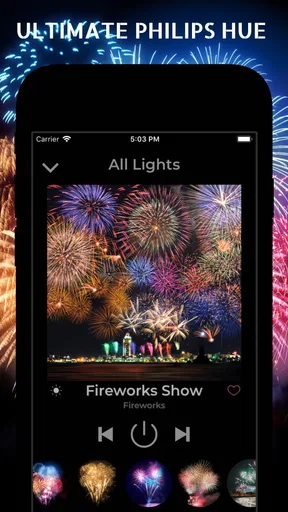
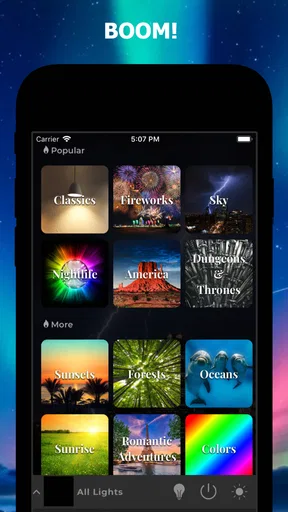
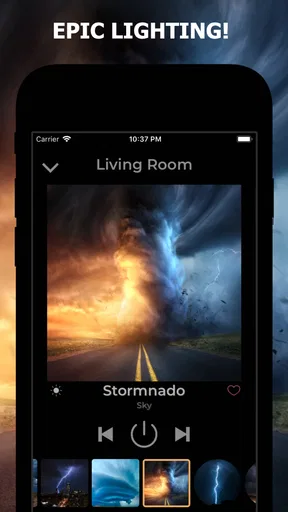
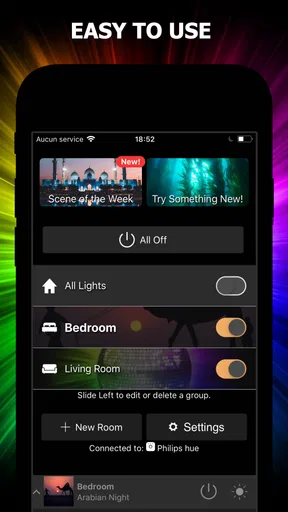
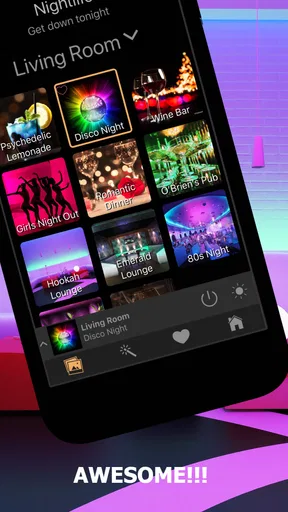
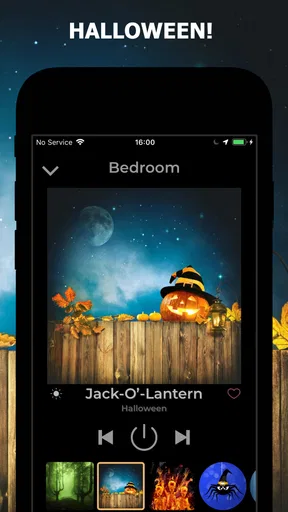
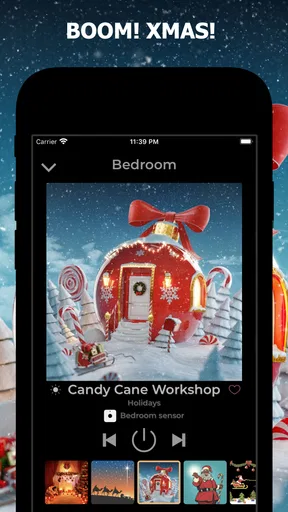
Our Review of Lighter for Philips Hue Lights
 Analysis by Appyee
In a shared home, lighting can become a small daily negotiation: one person wants bright light for cooking, another is settling down, and someone else is trying not to wake the household. That is the setting in which I find Lighter for Philips Hue Lights most interesting. It gives Hue owners another way to shape the feel of a room, though I would treat it as a lighting companion rather than assume it replaces every household member’s usual controls.
A shared room, several moods
Picture a weekday evening: dinner is finished, one person wants to read at the table, and someone in the living room is ready for a film. A preset can make a quick change feel more deliberate than simply dimming everything, while a custom scene gives you room to settle on colors that work for your own lamps and layout. That is a practical use for lighting presets: they can make a familiar room feel ready for a different activity without turning the choice into a long project.
I would still coordinate before changing lights in a room other people are using. A dramatic color scene may be fun for a gathering but distracting for someone reading or working nearby. My useful habit would be to agree on a few everyday scenes—one for shared evenings, one for focused tasks, and one for winding down—then reserve more unusual experiments for times when the room is free. That kind of simple agreement matters more than having dozens of choices.
Setting expectations before everyone uses it
Connecting Hue lights is only one part of making a shared setup comfortable. Before other people rely on the app, I would decide which phone or account is responsible for changing scenes and whether everyone should use the same controls they already know. The original Hue controls can remain the familiar fallback, while this app serves as an extra way to experiment with the lighting. That division can prevent confusion when one person makes a change and another expects the room to stay as it was.
There is also a useful difference between setting up a light and deciding who gets to control it. If the app is being introduced on a household device, I would test the connection and the scenes myself first, then show other users what a scene changes and how to return to a comfortable setting. I would not assume that a scene created on one phone will automatically make sense to everyone else. A brief handover—what to tap for the usual look, and which controls are already in use—can save more annoyance than another round of color tweaking.
For someone choosing an app for a home, cost and device fit are part of that decision too. This is a free House & Home app from A Better Home, LLC, with optional in-app purchases listed from $0.99 to $29.99 per item. It has a 3.8 average from around 689 ratings, and more than 100,000 installs. Those figures suggest it has found an audience, but they do not tell me whether its approach will suit your particular Hue arrangement; I would judge that by how naturally its scenes fit the rooms and routines you actually have.
Age, trust, and sensible boundaries
The app is rated Everyone, so its content rating is not a barrier for a family considering it. Still, age suitability and household trust are different questions. I would let younger users explore simple presets only if they understand that the lights are shared household equipment, and I would keep changes to commonly used spaces considerate of whoever is in the room. A lighting app can be easy to operate without every possible change being welcome.
If several people share a phone or tablet, I would be especially clear about whether it is a household controller or someone’s personal device. Do not assume there are family profiles or built-in permission controls; it is safer to agree on expectations and keep account access under the household’s normal rules. This is not a reason to avoid the app, just a reminder that smart-home convenience depends on people knowing who can make changes and how to restore a familiar scene.
Where it fits among Hue options
Compared with relying only on the standard Hue controls, a separate lighting app is most appealing when you want another source of ready-made looks and enjoy experimenting with color. If your priority is simply dependable on/off control and a familiar routine, the controls you already use may be less work. Likewise, people who want a whole-home automation system should choose around the devices and routines they already depend on rather than expecting a scene-focused lighting app to solve every coordination problem.
A small but useful tip is to test a new scene in one room before making it part of a shared routine. Colors that look inviting on a phone can feel too intense across a whole room, and a preset that suits a lounge may not be comfortable at a desk. I would try the scene at the time of day you expect to use it, then adjust your custom version rather than assuming the first choice is right for every bulb. This also gives you a sensible way to compare scenes without leaving the entire home in an unfamiliar state.
The app is best suited to people who already use Philips Hue, enjoy changing the atmosphere at home, and are willing to spend a little time deciding which scenes are genuinely useful. It is less compelling if you want a basic switch, dislike adjusting color, or need a single control method everyone in the home already understands. I would also keep a familiar Hue option available for guests and anyone who does not want to learn another interface.
Let me tell you about this nifty app I stumbled upon the other day: Lighter for Philips Hue Lights. Now, if you're like me and love setting the perfect ambiance at home with just a tap on your phone, this app might be just what you've been looking for.
Getting Started with Lighter
First off, the setup was a breeze. I downloaded the app from the store, and within minutes, I was syncing my Philips Hue lights. The app did a great job guiding me through connecting to my Hue Bridge. It’s pretty intuitive, so even if you’re not a tech wizard, you’ll find your way around easily.
Features That Stand Out
What really caught my eye with Lighter for Philips Hue Lights were the diverse lighting presets. Whether you’re planning a cozy movie night or need a vibrant party vibe, the app has you covered with its wide range of themes. I particularly loved the "Sunset" preset for winding down in the evening – it’s like painting your room with the colors of a dreamy dusk.
And if you’re in the mood for something unique, the app allows you to customize your own lighting scenes. I spent a good chunk of time playing around with different color combinations. It’s like having a digital artist's palette at your fingertips. The level of customization is impressive, yet user-friendly.
Seamless Integration
Another aspect I appreciated was how smoothly the app integrates with other smart home devices. Whether you have a Google Home or Alexa setup, controlling your lighting with voice commands is a cinch. It’s also compatible with IFTTT, which opens up a realm of automation possibilities. Imagine walking into your home and having the lights adjust automatically based on the time of day or even the weather outside.
Performance and Usability
On the performance side, the app is pretty solid. I didn’t encounter any bugs or crashes, which is always a relief. The response time when switching between different lighting scenes was quick, and there was no noticeable delay. The user interface is sleek, with a modern design that’s both functional and easy on the eyes.
For someone who loves tweaking settings and experimenting with lighting, the app provides a satisfying experience. You can tell the developers put a lot of thought into making it both powerful and accessible, catering to both the tech-savvy and the casual user.
Final Thoughts
All in all, Lighter for Philips Hue Lights has really enhanced my home lighting experience. It’s not just about turning lights on and off; it’s about creating an atmosphere that matches your mood and lifestyle. Whether you’re hosting a dinner party or enjoying a quiet evening with a book, this app has something for everyone.
So, if you’re looking to get more out of your Philips Hue setup, I’d say give this app a go. It’s fun, practical, and adds a touch of magic to your everyday life. Happy lighting!
Practical checks before you settle on it
If you are wondering whether you need a Hue Bridge, the setup experience described here connects through one, so I would make sure your existing Hue system is ready before treating this as a standalone lighting controller. This is not a general-purpose lamp app for any smart bulb: its value depends on having Philips Hue lights to work with. If your household uses a different lighting ecosystem, choosing the app designed for that equipment is the more sensible route.
For compatibility, I would check the device requirements before installing: the current version is 1.0.142.2 and it supports Android 7.0 or later. The app is free to download, while optional purchases range from $0.99 to $29.99 per item. That makes it easy to try without paying up front, but I would explore the included experience first and only consider a purchase if a specific option solves a real need. A household should agree before spending on an app through a shared device.
One trade-off with scene-focused control is that the best result usually comes from a little curation. Rather than collecting every look that catches your eye, I would keep a short set of scenes that people can recognize and use without asking what each one does. A practical sequence might be a bright setting for chores, a comfortable scene for dinner, and a calmer option for the end of the day. Customizing these for each room is more useful than expecting one color recipe to work equally well in a kitchen, bedroom, and living area.
It is also worth deciding how the app sits alongside voice control and automation. Voice commands can be convenient when your hands are full, while an app is easier when you want to browse or fine-tune a look. Automation can reduce repeated actions, but it can also surprise other people if lights change at an inconvenient time. I would introduce one change at a time: first make sure manual scenes work for everyone, then add any voice or automated routine the household actually wants. The point is to make lighting easier, not to create a second system people have to troubleshoot.
When a scene does not behave as someone expects, I would start with the basics instead of immediately rebuilding the setup: check that the intended Hue lights are available through the existing system, confirm which control method made the last change, and restore the room’s familiar setting before experimenting again. This is especially helpful in shared spaces, where a person may not know whether a change came from this app, a voice command, or another Hue control. Keeping the fallback familiar makes experimentation lower risk.
There are a few reasonable questions before trying it. Can a person use it without Hue equipment? No, its purpose is controlling Philips Hue lighting, so it is not the right pick for someone without that setup. Is it suitable for a family home? The Everyone age rating makes the content appropriate broadly, but it does not replace parental judgment or household agreements about shared lights and devices. Does it make sense for a beginner? The original setup felt approachable, though someone who only needs basic switching may find their existing Hue controls simpler. And is it a better choice than the usual Hue app? That depends on whether you want to explore additional scenes and customization; for straightforward daily control, the familiar option may be enough.
A household verdict
My overall recommendation is specific: try it if Philips Hue is already part of your home and changing the mood of a room sounds enjoyable rather than fussy. It is particularly appealing to a household that can agree on a small set of useful scenes and leave room for individual experimentation when the lights are not being shared. If nobody wants another way to control the same bulbs, or if reliable simplicity matters more than creative presets, sticking with the controls everyone already knows is a perfectly good choice.
The app was released on Oct 15, 2018, and its 3.8 average from around 689 ratings gives a prospective user a broad but mixed impression rather than a guarantee of a perfect fit. I would weigh that alongside the practical question of whether its scene-making approach improves your own routine. Used with clear expectations, it can add a pleasant creative layer to Hue lighting; used without coordination, even a good preset can become one more surprise in a shared room.
Verdict
Strengths of Lighter for Philips Hue Lights
- Easy setup with intuitive interface.
- Wide range of color customization options.
- Seamless integration with smart home systems.
- Remote control via app enhances convenience.
- Supports voice commands with assistants.
Limitations of Lighter for Philips Hue Lights
- Limited functionality without Philips Hue Bridge.
- Requires stable internet connection.
- App updates can be inconsistent.
- Some features locked behind premium version.
- May drain battery with prolonged use.
Similar Picks in This Category
View All
Universal TV Remote Control
CodeMatics Media Solutions3.9

AlfredCamera Home Security app
Alfred Systems Inc.4.7

Planner 5D: AI Home Design
Planner 5D4.5

Universal Tv Remote-Cast to TV
One Music Player4.1

Zillow: Homes for Sale & Rent
Zillow Group4.8

99acres Buy/Rent/Sell Property
infoedge.com4.3
Frequently Asked Questions
What is the main functionality of the Lighter for Philips Hue Lights app?
The Lighter for Philips Hue Lights app is designed to enhance your experience with Philips Hue smart bulbs. It provides users with advanced features for controlling and customizing their lighting. With this app, you can create dynamic scenes, adjust brightness, and even sync your lights with music, all from your smartphone.
Is the Lighter for Philips Hue Lights app compatible with all Philips Hue products?
Yes, the Lighter for Philips Hue Lights app is compatible with all Philips Hue products, including bulbs, light strips, and lamps. It requires a Philips Hue Bridge to connect your lights to the app, ensuring seamless integration and control over your entire lighting setup.
Does the Lighter for Philips Hue Lights app require an internet connection to function?
While an internet connection is needed for initial setup and updates, the app primarily communicates with the Philips Hue Bridge via your local Wi-Fi network. This means it can function without an active internet connection once everything is set up, allowing for uninterrupted control over your lighting.
Can I control my Philips Hue lights remotely using the Lighter app?
Yes, with the Lighter for Philips Hue Lights app, you can control your lights remotely. As long as your Philips Hue Bridge is connected to the internet, you can adjust your lighting from anywhere via the app, giving you convenience and control even when you're away from home.
What customization options does the Lighter app offer for Philips Hue lights?
The Lighter app offers extensive customization options for your Philips Hue lights. You can create personalized scenes, adjust colors and brightness, and even set schedules for automated lighting changes. Additionally, the app features dynamic effects like music synchronization and ambient modes to enhance your environment.
